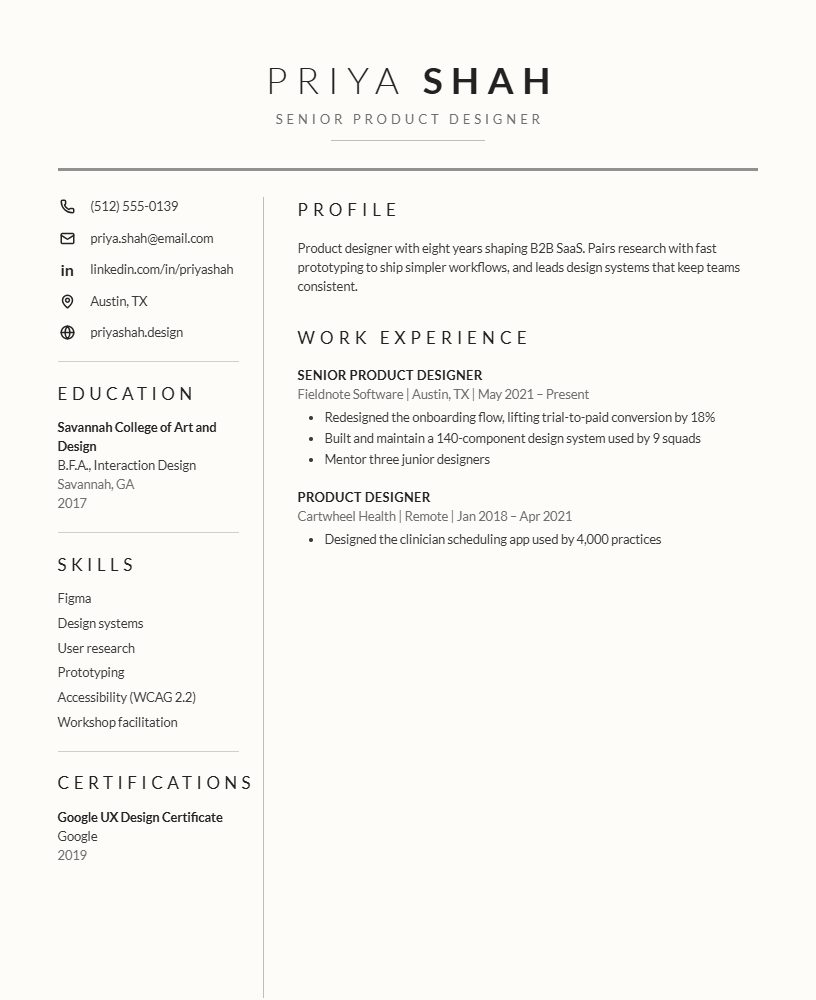
Minimalist résumé template: The Minimalist
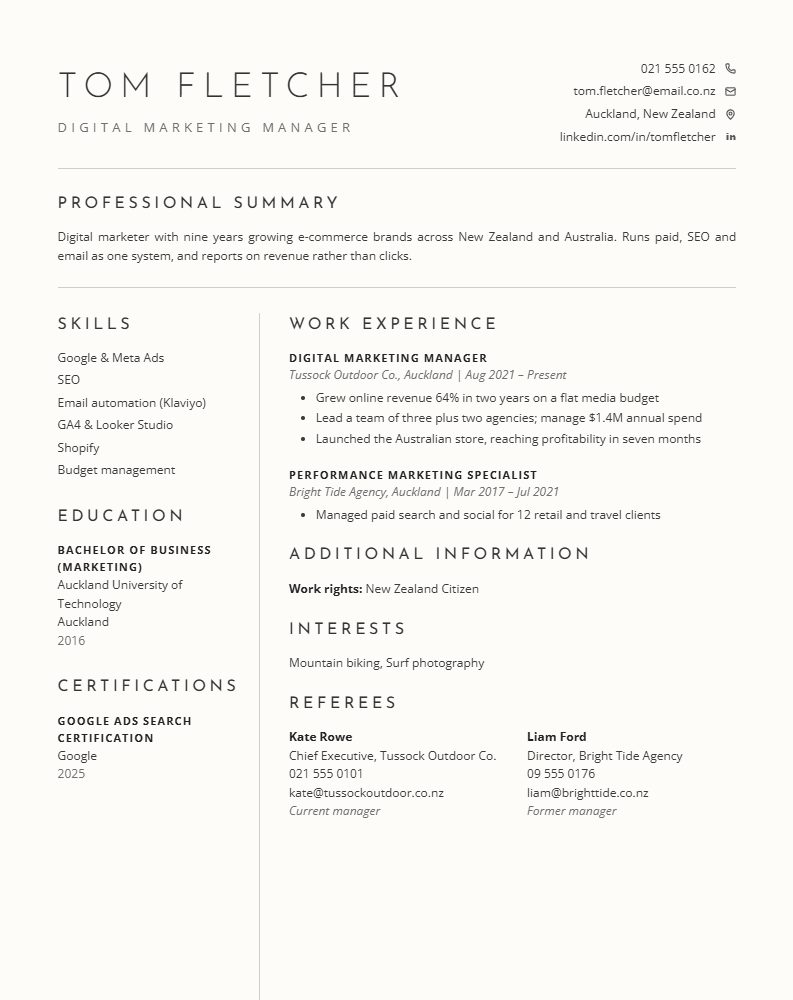
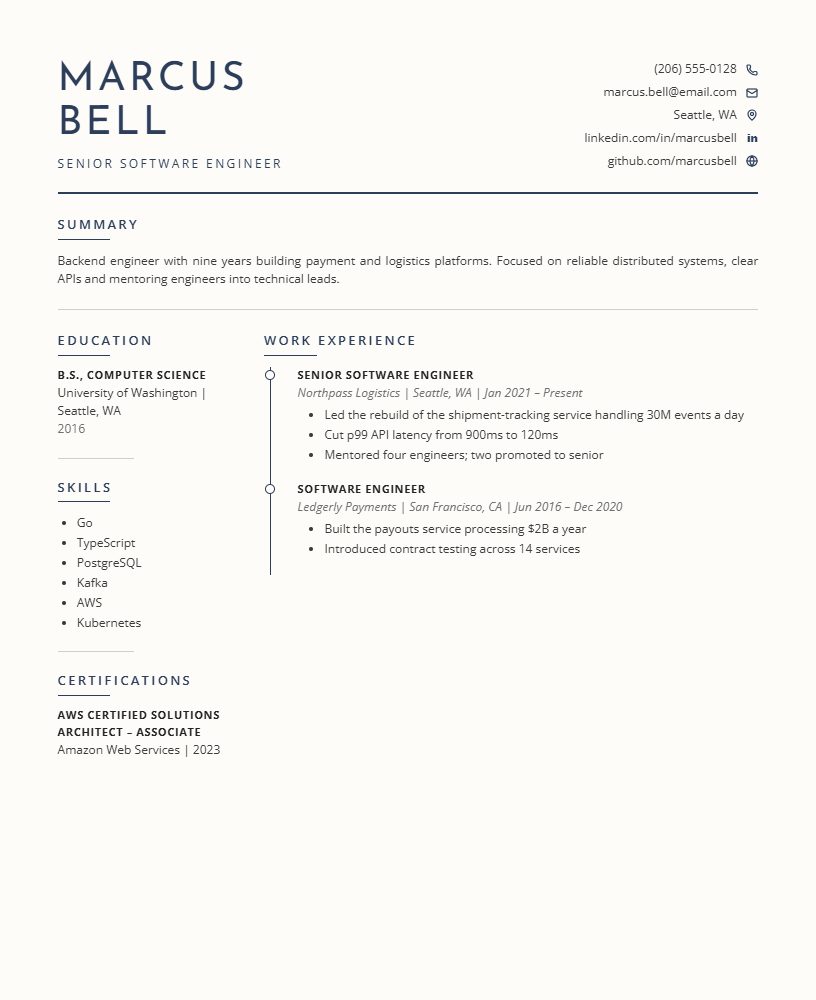
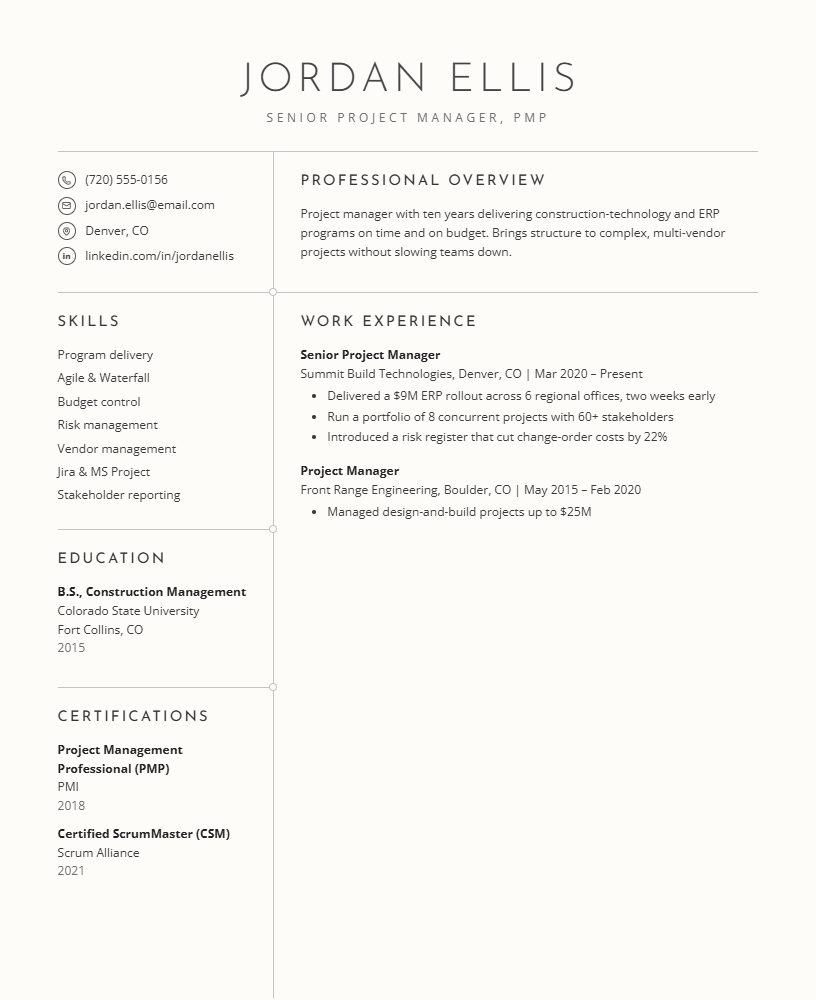
The Minimalist keeps your experience front and centre, with contact details, education and skills tucked into a slim left sidebar. Plenty of white space makes it easy to scan in the few seconds a recruiter gives each CV.
Use this templateFree to edit online. US$12 one-off to download, with no subscription.
Best for
- UX and product designers
- Developers and engineers
- Anyone who wants a calm, modern page
Template details
- Contact, education and skills in a left sidebar.
- Default paper size: US Letter. Switch between A4 and Letter at any time.
- Two-column and photo layouts look great when you email or hand over your CV. For large online job portals, a single-column template is the safest choice for applicant tracking systems (ATS).
- Change the accent colour, and switch to any other template without retyping.
- Download as a PDF and as an editable Microsoft Word (.docx) file.
- Comes with a free matching cover letter in the same design.
How to write a minimalist résumé that still stands out
A minimalist résumé works because it makes a reader’s job easy. Experience fills the wide column. Contact details, education and skills sit in a slim sidebar where they can be checked without breaking the flow. With plenty of white space, each achievement gets room, which matters when recruiters spend only seconds on a first pass. It suits designers and engineers who want the page to show restraint.
What to put in each section
- Sidebar
- Contact details, a portfolio or GitHub link, education and a tight skills list. For designers, name your tools (Figma, prototyping, user research). For engineers, list languages and frameworks you have used in production.
- Experience
- Three to four bullets per role, each starting with a strong verb and ending with an outcome. Minimal design punishes filler, so cut any bullet that doesn’t say what changed.
- Projects
- Side projects, open-source work or case studies belong here if they show skills your jobs don’t. Link to them, and give one line on the problem and the result.
Example bullet points
Adapt these to your own work. The figures are only examples.
- Redesigned the onboarding flow, lifting completed sign-ups by 23% in the first month
- Ran 30 user interviews and turned the findings into a roadmap the product team adopted
- Built and maintained the company design system, used by 12 squads across web and mobile
- Cut page load time from 4.1 to 1.6 seconds by rebuilding the image pipeline
Common questions
Will a two-column résumé get past applicant tracking systems?
Most modern systems read two-column layouts, but some older portals mix the columns up. If you are applying through a large company’s portal, switch to a single-column template for that application. Your content carries over.
Should I include a photo?
Not for roles in New Zealand, Australia, the UK or the US, where photos are uncommon and can invite bias. This layout is designed to work without one.
What's included for US$12
- Every template, switch as often as you like
- Unlimited PDF downloads
- Unlimited editable Word (.docx) downloads
- A free matching cover letter for every template, in the same design
- AI import: paste your old CV and it sorts itself into place (5 a day)
- AI cover letters written from your CV and the job ad (5 a day)
- A4 (NZ, AU, UK) and US Letter paper sizes
- 30 days of access from purchase
- One payment. No subscription, never auto-renews
More modern / tech templates